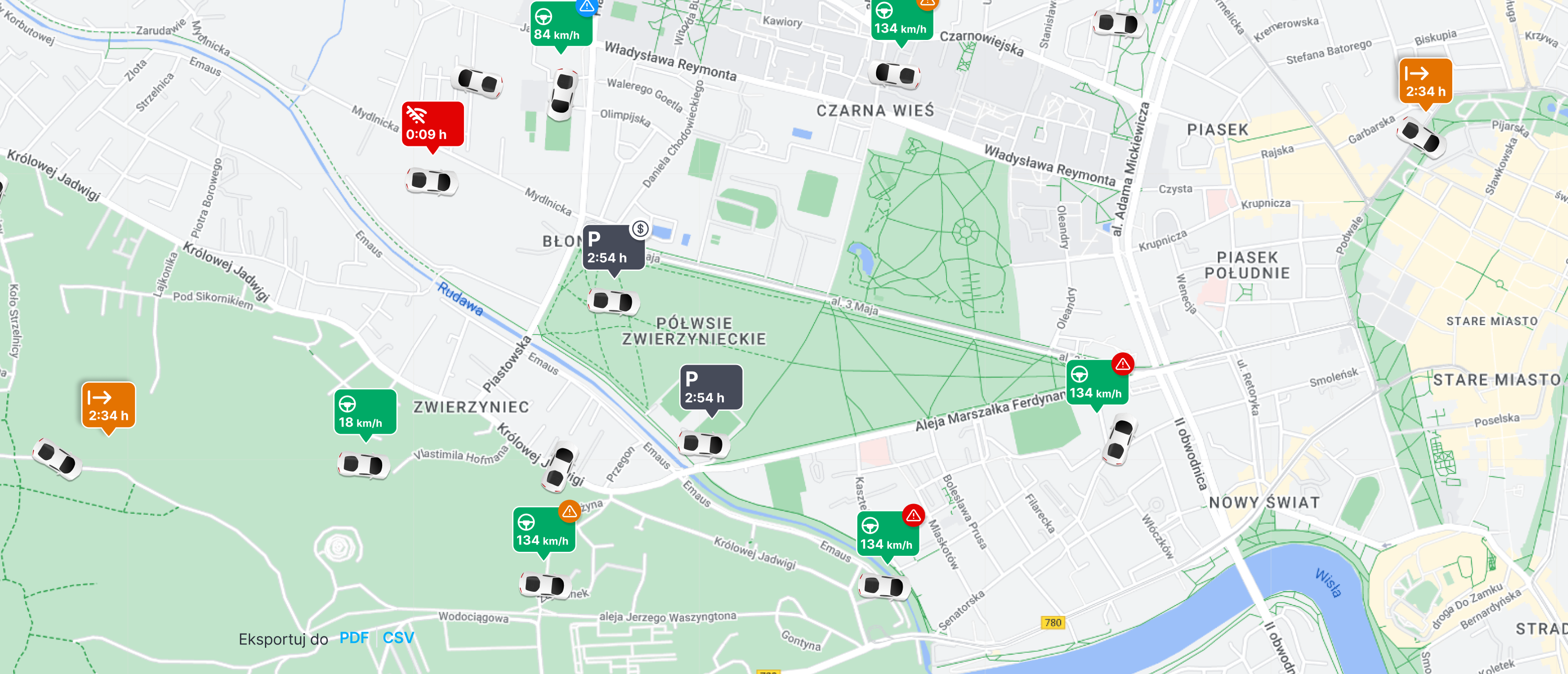
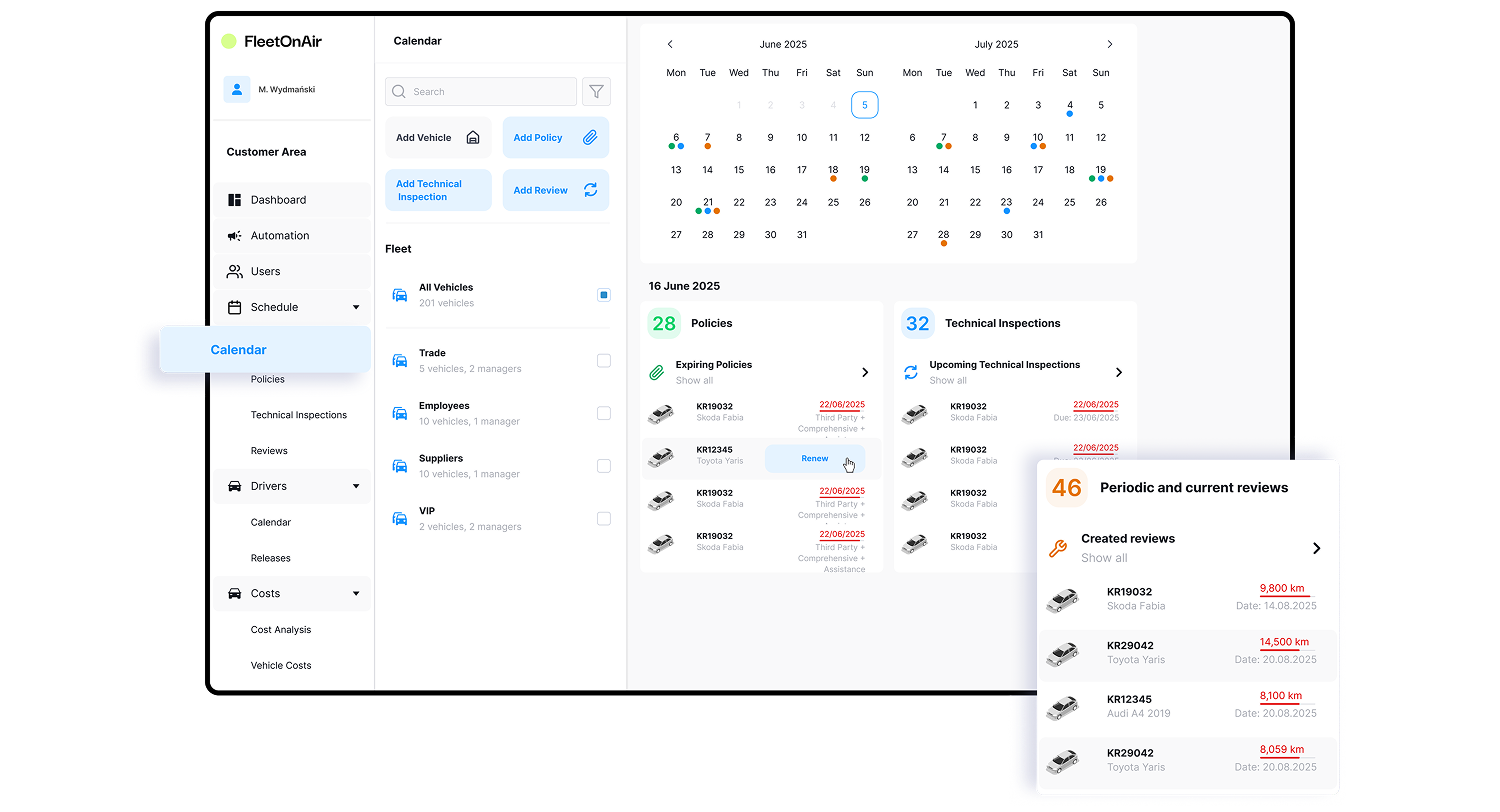
The FleetOnAir fleet calendar organises dates and information for every vehicle so that nothing important is missed in day-to-day operations. In one place, you have access to service history, insurance policies, technical inspections and planned workshop visits.
This makes it easier for your company to plan costs, monitor mileage and vehicle status, streamline servicing processes, improve communication with drivers and maintain clear contact with customers.
Fleet calendar: common fleet management problems and how FleetOnAir solves them
In many organisations, there is no continuous control over what has actually been completed in a workshop and what has only been scheduled. Notes get lost, photos remain on drivers’ private phones, and cost information arrives with delays, making it difficult to assess the real condition of the fleet.
FleetOnAir solves this problem by combining all communication and documentation in a single fleet management system. From the mobile app, the driver adds photos, status updates and invoices, while the manager sees everything immediately on one screen.
Thanks to automatic rules and a complete activity history, it is easy to verify whether maintenance work was carried out as planned, understand actual costs and schedule next actions. This eliminates guesswork, shortens turnaround times and enables decisions based on complete, up-to-date data.
Fleet management software – why traditional solutions fail
Manual calendars, Excel spreadsheets or outdated systems often lead to inconsistent fleet data. Inspection dates and insurance policies are scattered across messages, notes and documents, increasing the risk of missing critical deadlines.
There are no automatic reminders, no single service history and no real-time vehicle status. As a result, fleets experience unnecessary downtime, fines for missed inspections, repair delays and difficulties in cost planning. Managers make decisions based on incomplete information, while drivers and customers feel the impact of disorganised processes and poor communication.
Vehicle maintenance based on mileage – electronic service books
In FleetOnAir, every vehicle has an assigned electronic “service book”. This consists of rules based on time and mileage relationships. Based on these rules, the system automatically creates a maintenance schedule, for example:
“replace spark plugs in 1,000 km” or “change the oil in 20,000 km”.
You can use predefined templates or define your own rules for a specific vehicle or the entire fleet and apply them automatically to multiple vehicles. This allows fleet managers to manage preventive maintenance in a consistent, repeatable way and plan work in advance instead of reacting only when issues occur.
Fleet scheduling and reminders that improve efficiency
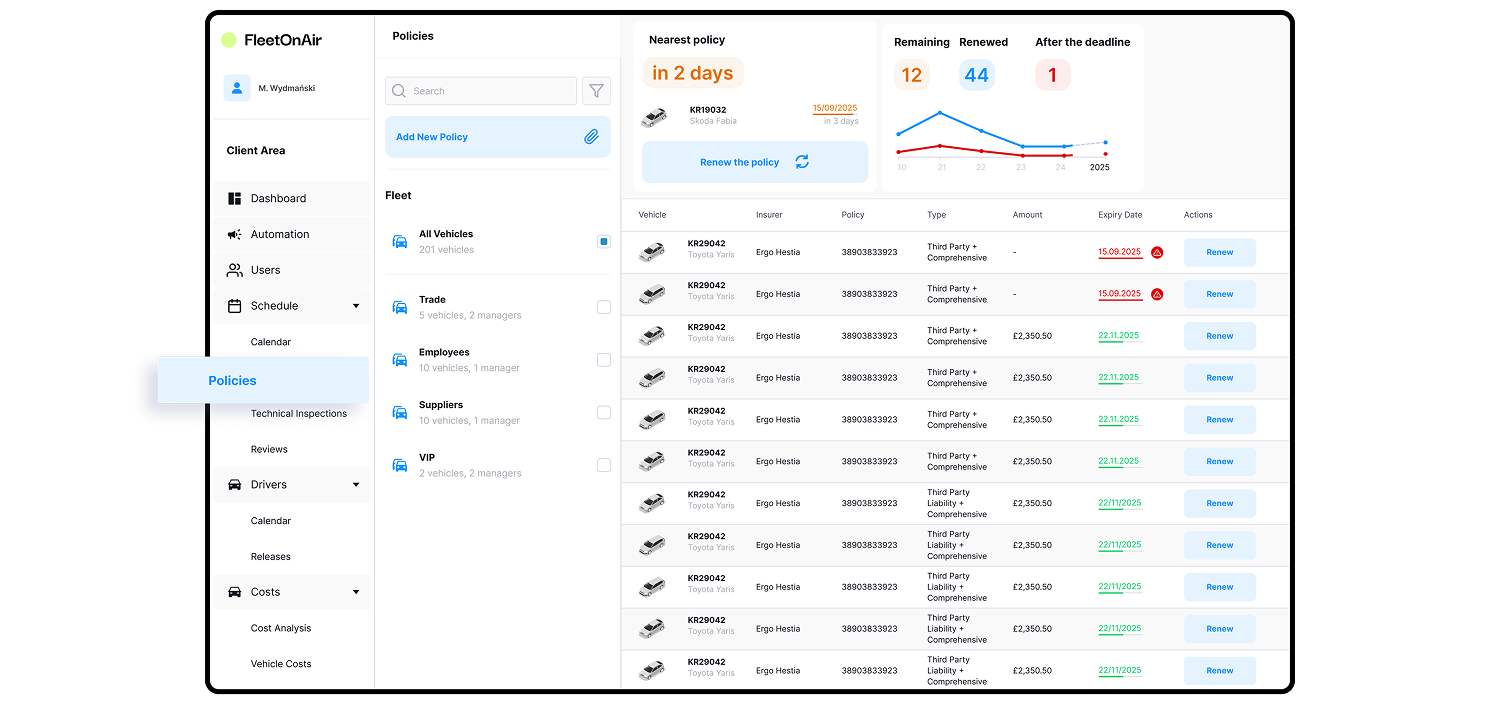
The system sends notifications in advance — for example, a reminder about upcoming service 1,000 km before it is due, or an alert about an insurance policy 29–30 days before its expiry.
This means you do not need to remember details manually. All key dates remain visible and under control.
From the calendar, you select the time, workshop and scope of work. After the visit, you add notes, details and costs. This approach improves daily operational efficiency and reduces the risk of vehicles being unexpectedly taken out of service.
Managing policies, inspections and costs – key features
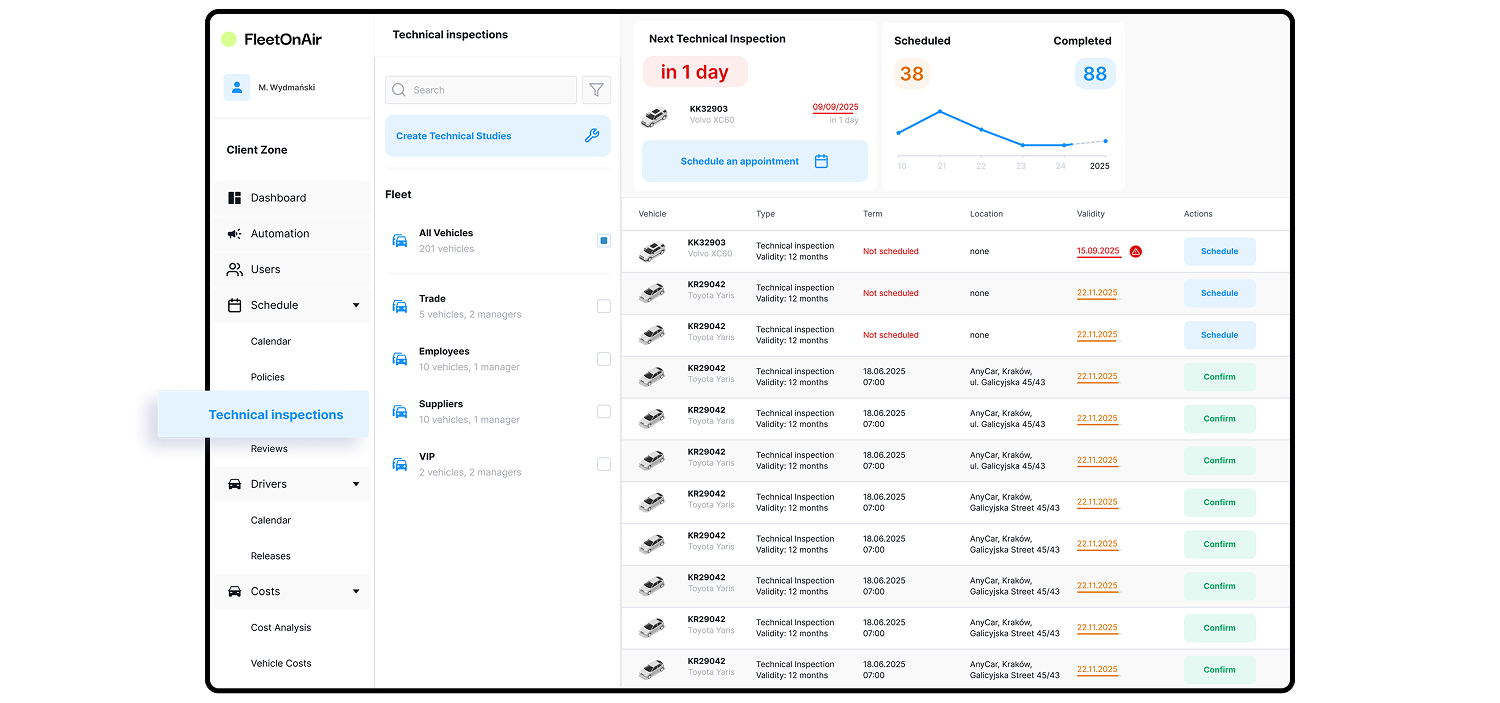
The policy module reminds you about renewals each year, requires attaching the policy document and archives everything in a central register. Technical inspections work in a similar way — you record dates, inspection locations and results.
When cost settlements are enabled, expenses related to services, repairs, insurance policies and inspections are visible both in total and per vehicle. Data can be downloaded as reports or exported to Excel. These features make it easier to track costs, maintain regulatory compliance and present a clear operational overview to management.
Repairs, defects and vehicle downtime
In the event of a breakdown, a report is submitted directly from the mobile app — for example, by adding a photo of a damaged bumper. The administrator assesses the situation: whether it is a minor issue that can be handled quickly or an urgent repair.
If a defect takes a vehicle out of service, the system automatically blocks it in the sharing or rental module. The calendar immediately reflects the current status and upcoming dates. This shortens repair turnaround times and prevents unsafe or unavailable vehicles from being booked by drivers or customers.
One place, full control in everyday operations
From the calendar, you can access the vehicle tab and see a detailed task list showing what needs to be done, when and in what status. You can also add your own tasks, such as “schedule air-conditioning ozonation at the next service” or “add brake pads to the plan”.
This flexibility allows for small adjustments regardless of predefined templates and ensures full visibility of completed work. Fleet management is based on concrete tasks rather than scattered notes.
Field and office work – one consistent view
With the mobile app, drivers confirm activities on site and attach invoices and photos, while managers see everything immediately in the web panel. All information is available with a single click — whether you are in the office or on the move.
For larger fleets, the calendar aggregates data from different modules and presents it according to schedules. Both office and field teams see the same real-time information, enabling better coordination, smoother driver management and fewer tools to juggle.
Integrations and further development
Planned features include automatic importing of service books from manufacturer databases (based on engine codes) and deeper integrations with vehicle handover and return protocols. These enhancements will make it even easier to maintain control over recurring tasks and quickly organise service visits alongside other planned activities.
How the fleet calendar improves fleet management
Use FleetOnAir if you want order in service plans, insurance policies and inspections, and prefer working from a clear task list with everything in one place. It is a fleet management tool for organisations that value structure, transparency and real-time savings in everyday operations — for managers, drivers and, in the long term, customers.